Find your next track
Browse songs, albums and artists or search your local music collection.
Other apps from MomentiumAn independent Momentium app
Browser player companion / OPEN FOR EXPLORATION
Press play. Stay a while.
Bring your own audio. Shape the sound, find the next track and put a listening session in order.
Browser player companion · local audio, EQ and saved playlists
SMALL PROJECTS. REAL POSSIBILITIES.
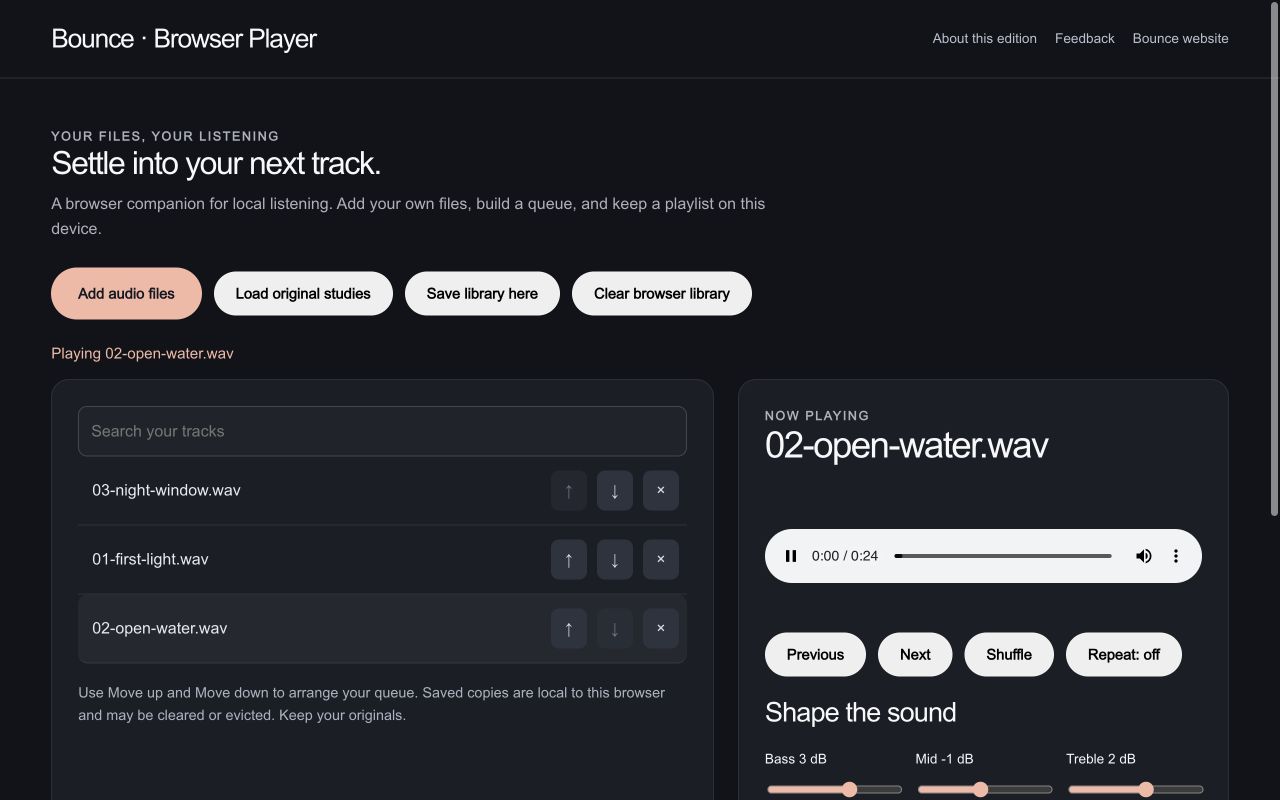
Audition an original recording and try three real EQ controls before opening the full local music player.
What you getAn audible browser EQ comparison. The desktop edition has a separate five-band engine.
What you getA listening sequence you control, built from local files rather than a streaming catalog.
What you getA portable playlist description; exporting the listing does not package the audio itself.
Use the starter instructions to open an example in the app. The live workspace loads only when you launch it.
On a small screen, open the app in its own tab for the full workspace.
INSIDE BOUNCE
A focused home for the music files you own.
15features to explore
Play supported MP3, FLAC, WAV, AIFF, OGG, and platform-dependent additional formats.
Try this in an examplePlay/pause, previous/next, seek, and automatic advancement.
Shuffle and repeat off/all/one.
Try this in an exampleScan folders recursively and discover added files.
Read supported tags and embedded artwork, with filename or folder fallbacks.
Songs, albums, artists, and playlists.
Find tracks and sort supported library views.
Browse covers and use a large-art now-playing screen.
Create lists, add tracks or albums, remove entries, and reorder them.
Retain library information, playlists, and playback preferences.
Try this in an exampleFive-band EQ in the desktop engine; bass, mid, and treble controls in the browser companion.
Try this in an exampleA dB-based level control with boost and a limiting output stage.
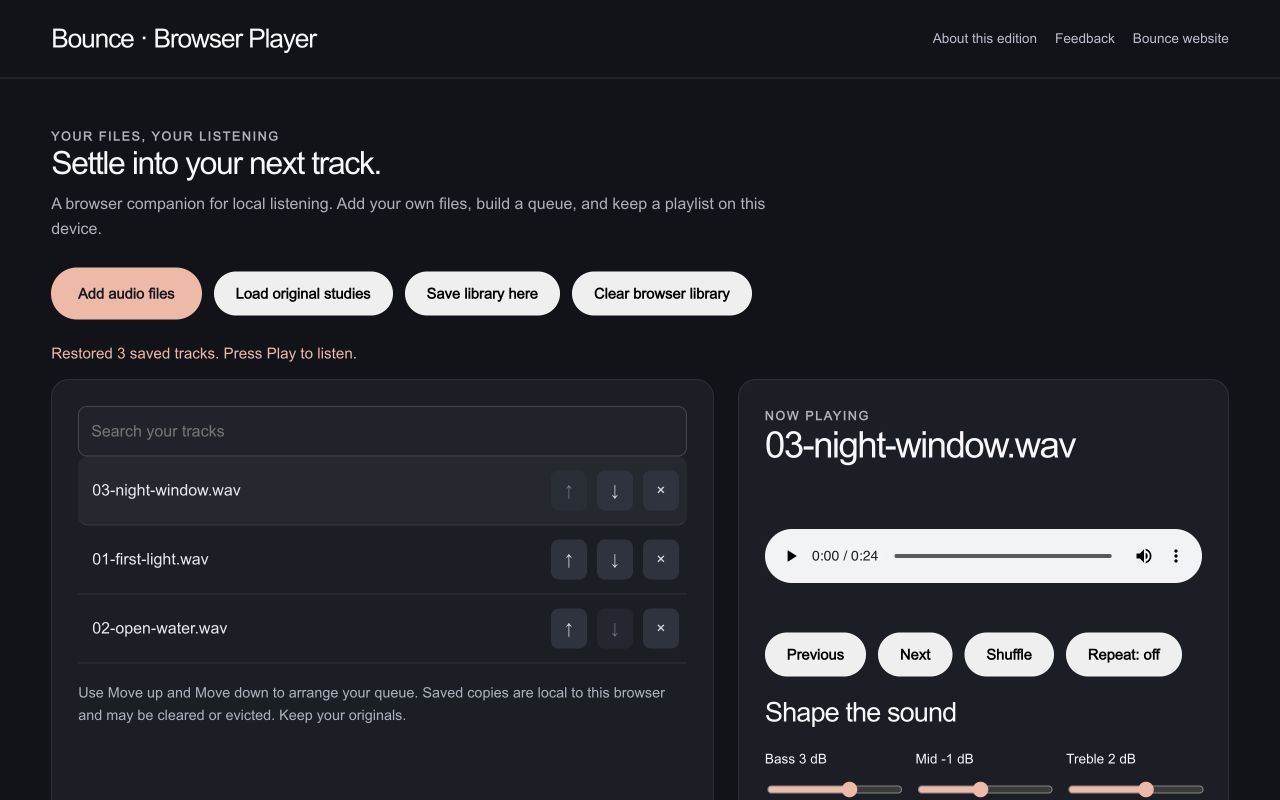
Import files, search tracks, reorder the queue, and save a local browser library.
Try this in an exampleDownload a named playlist listing.
Try this in an exampleSystem file import, touch-oriented browsing and now-playing views, background audio, and lock-screen metadata.
NATIVE APP PREVIEW
These native features are still in release review. The browser companion supports the smaller workflow described below.
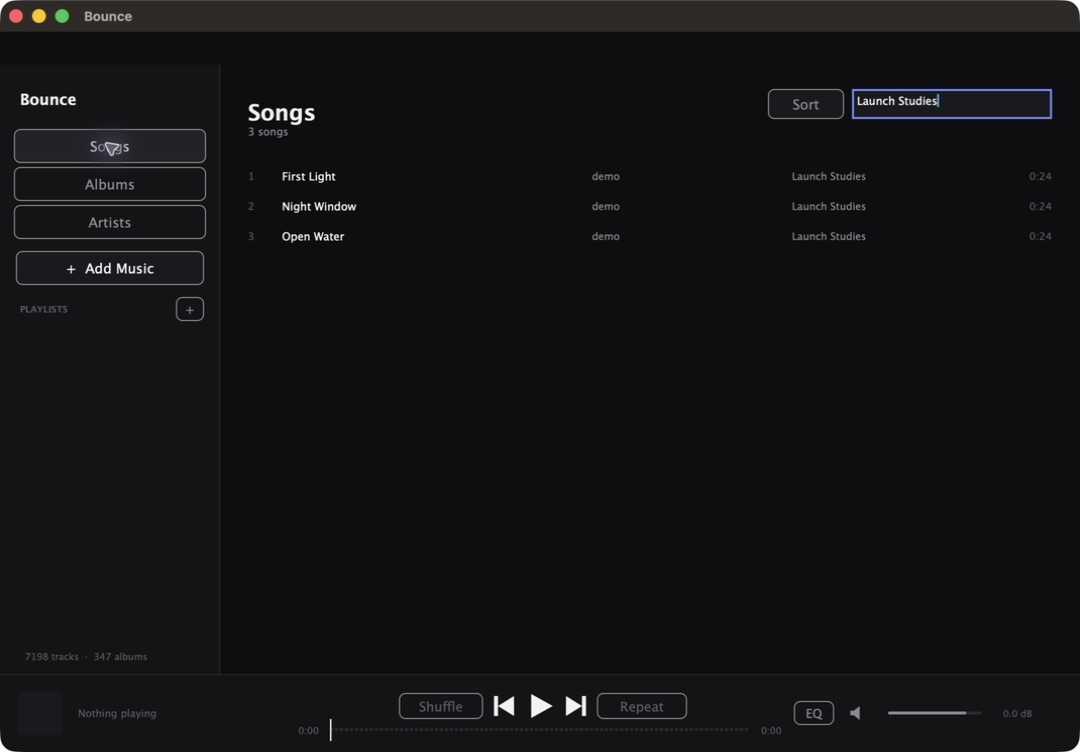
Browse songs, albums and artists or search your local music collection.
Use the equalizer to adjust the sound of your own audio files.
Collect tracks into playlists and use shuffle, repeat and straightforward transport controls. No streaming subscription or music catalog is included.
AFTER HOURS / Bounce / Browser player companion
Bring the four original parts and the finished mix into one listening queue. Shape the sound, choose an order, and save it on this device.
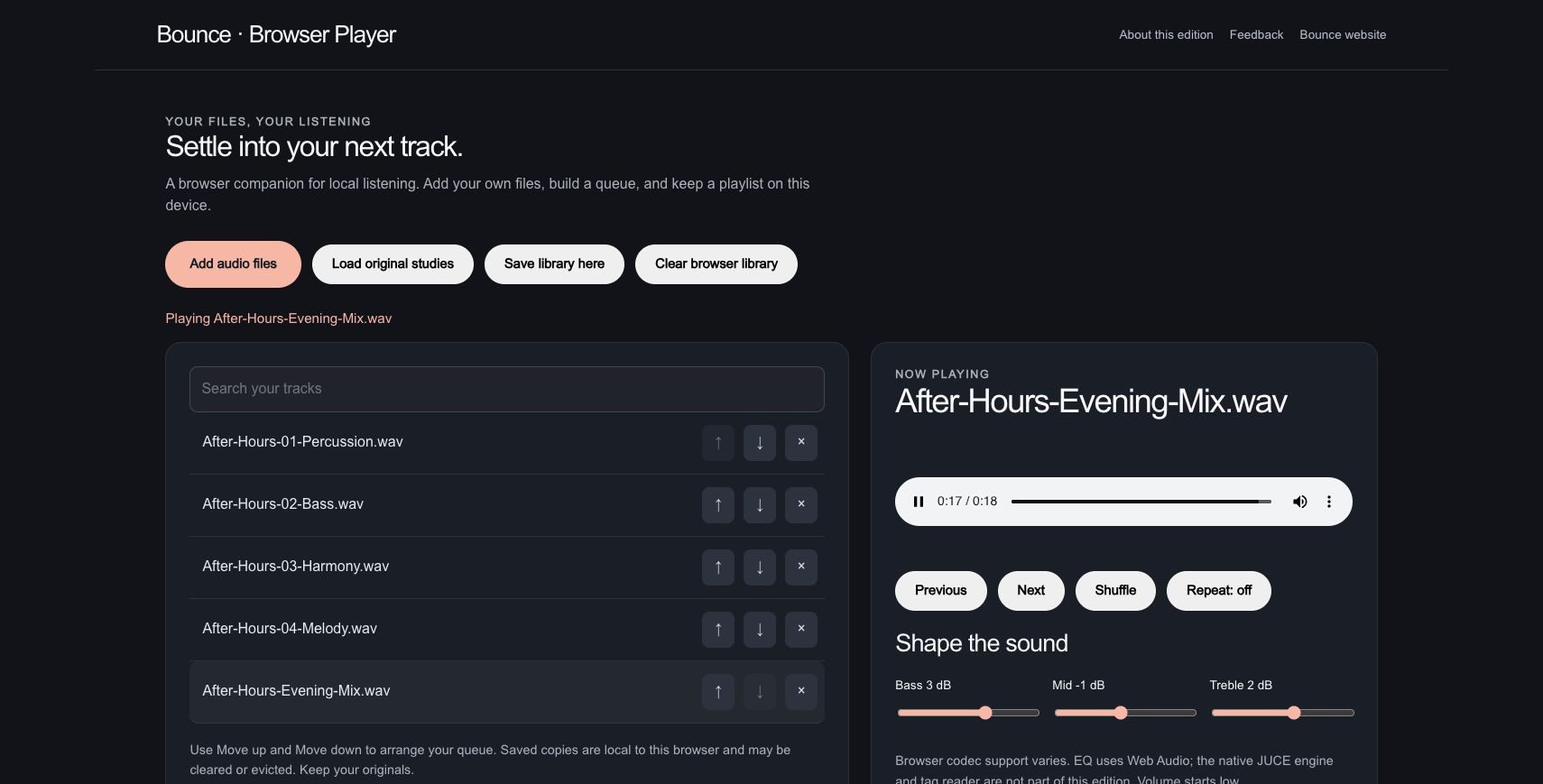
The verified StemDeck output plays alongside its four original source parts in a new five-track collection.
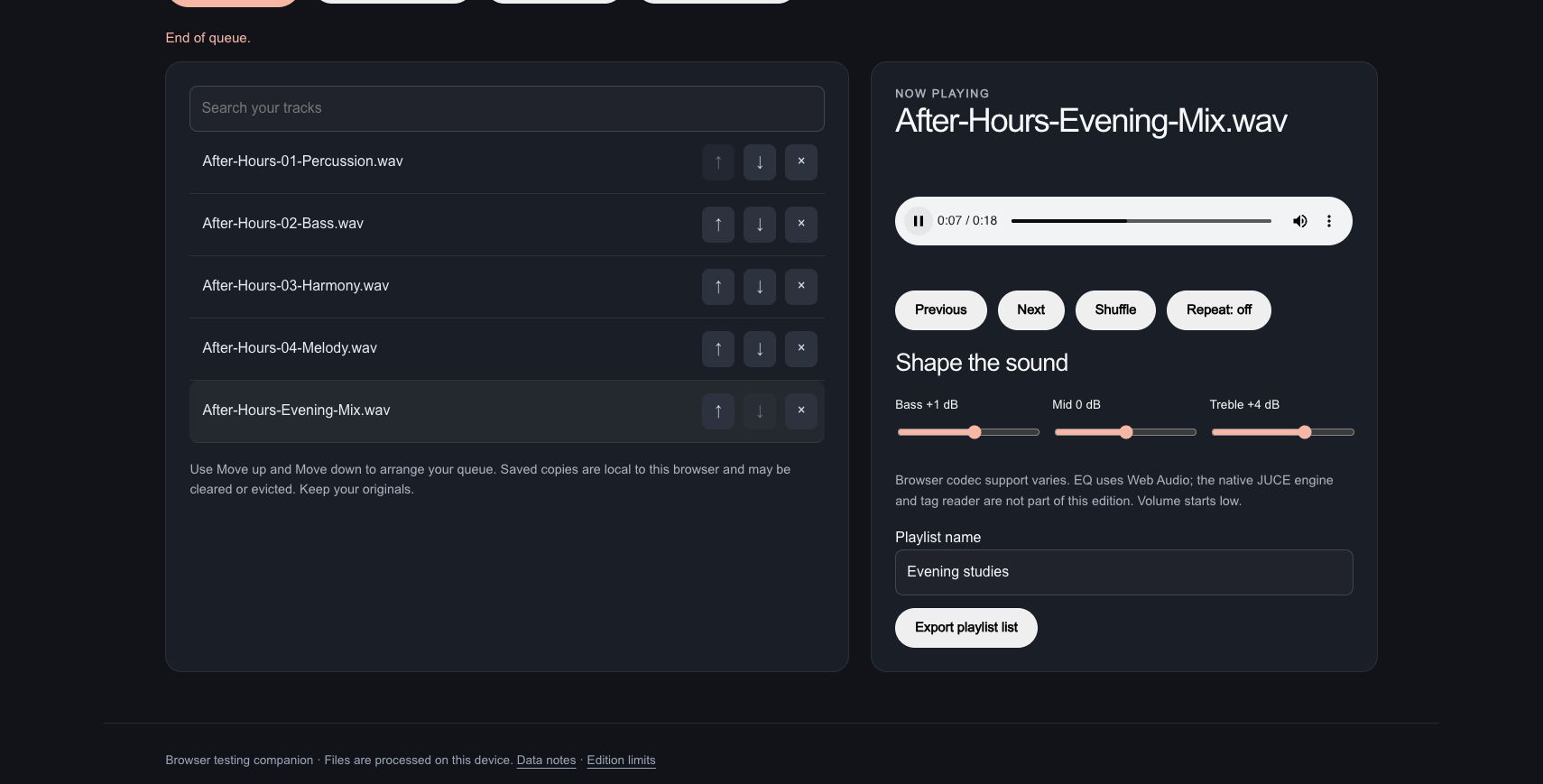
Bass moves to +1 dB, mid to 0 dB and treble to +4 dB. Seeking to about eight seconds picks out a passage in the 18-second mix.
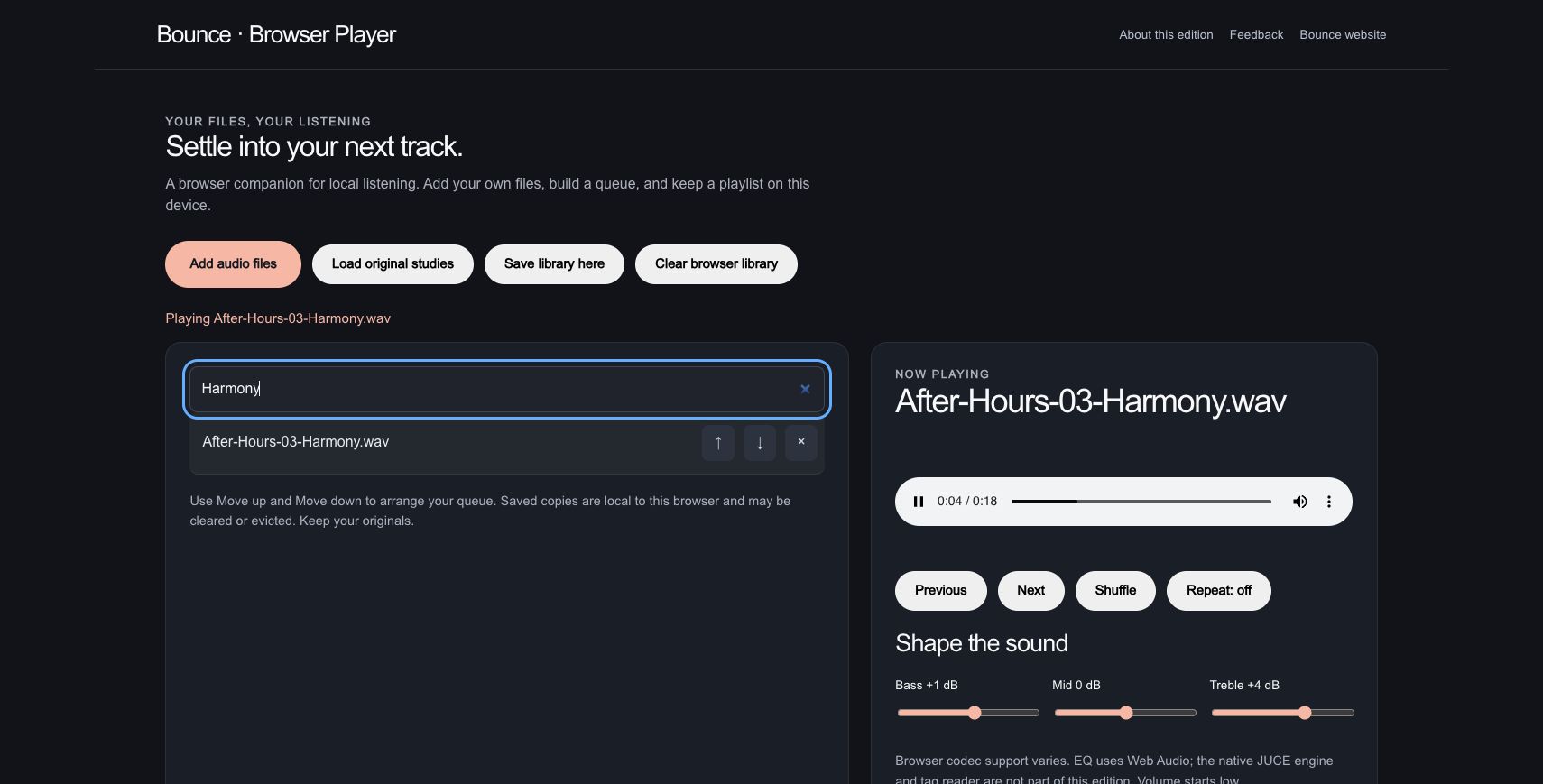
A search for Harmony isolates the matching track. The queue was arranged to move from the complete mix through harmony, melody, bass and percussion.
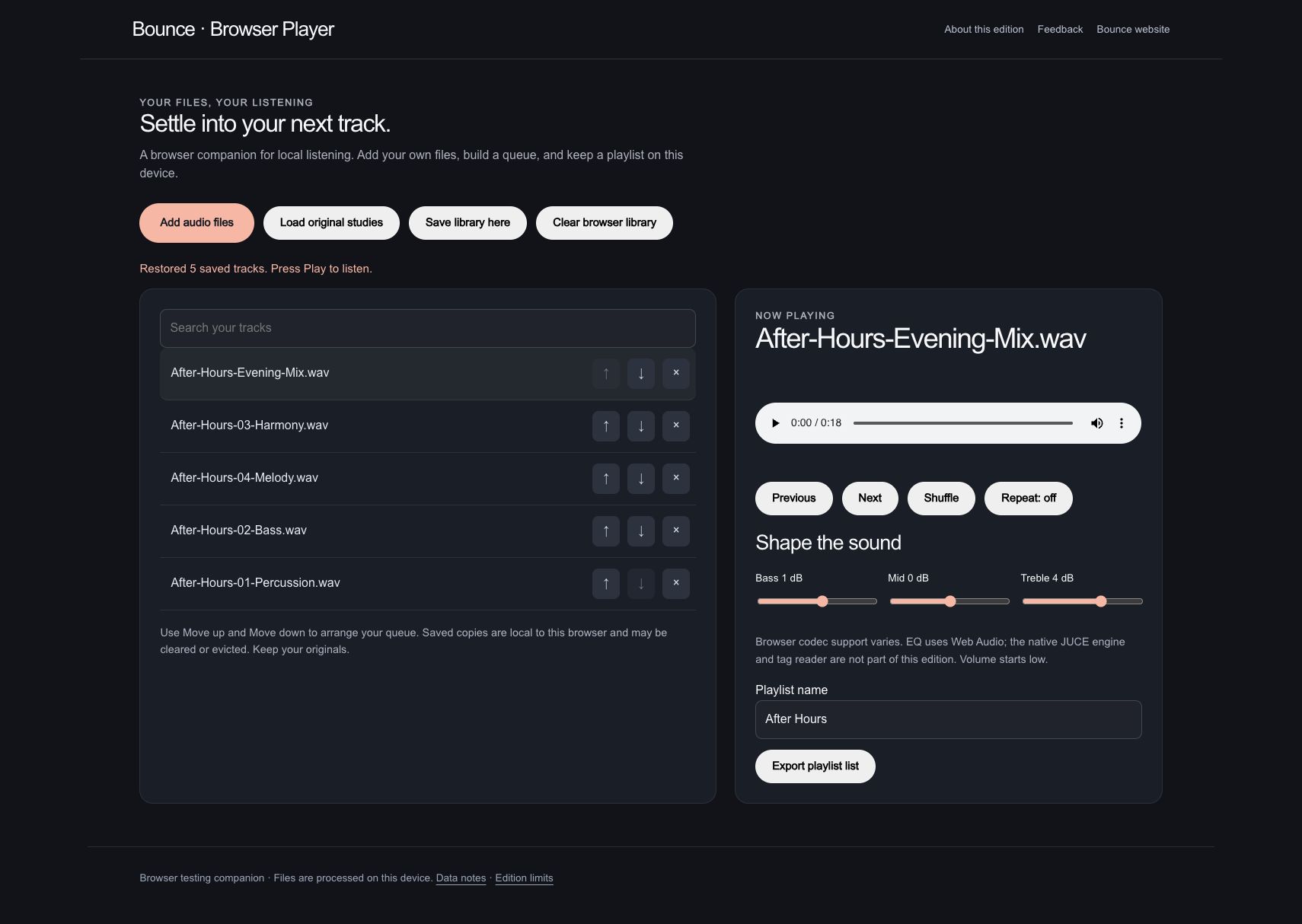
The library is saved as After Hours. After reload, all five tracks return in the chosen order, with the playlist name and EQ settings retained.
The original StemDeck output used in the playlist. This download does not bake in Bounce’s listening EQ.
Actual browser companion. The exported JSON is a playlist file list with filenames and sizes; audio is not embedded in that file. Saved audio copies remain local to this browser and can be cleared or evicted. Original source files were retained.
Browser player companion / WORKFLOW GALLERY
Real sessions. Four useful moments. A closer look at what you can make.
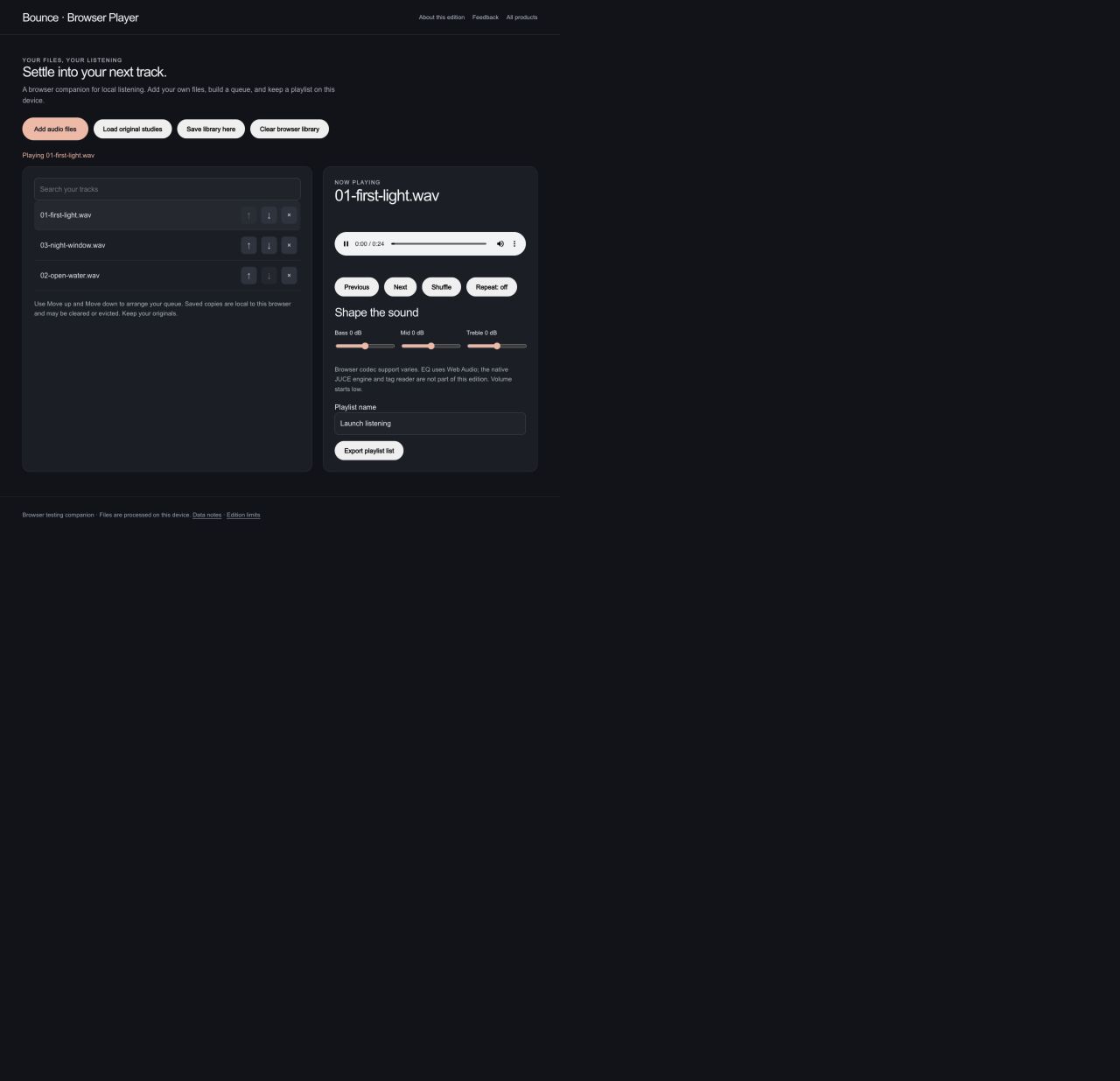
Play original audio studies from a local queue.
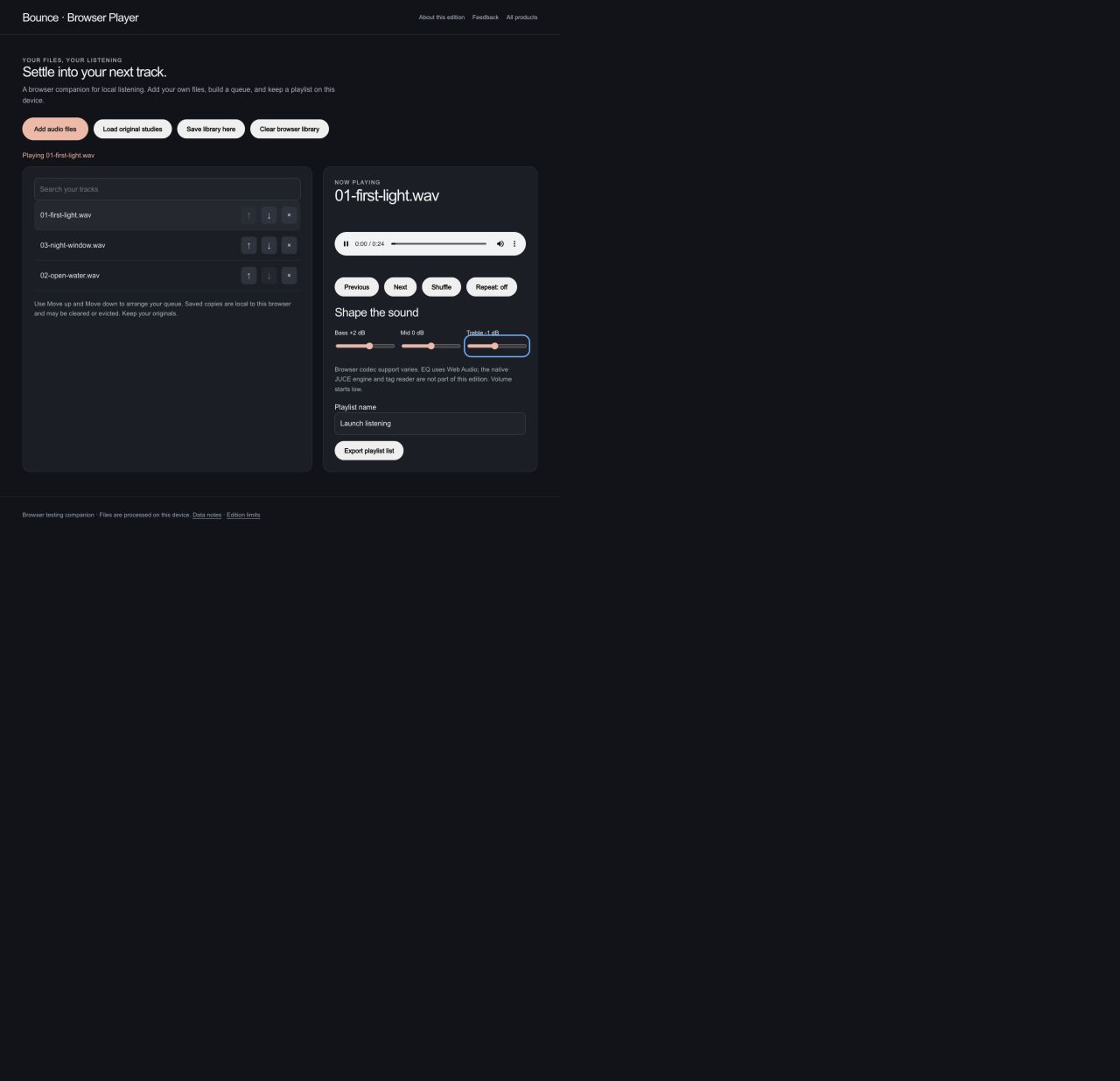
Adjust bass and treble while listening.
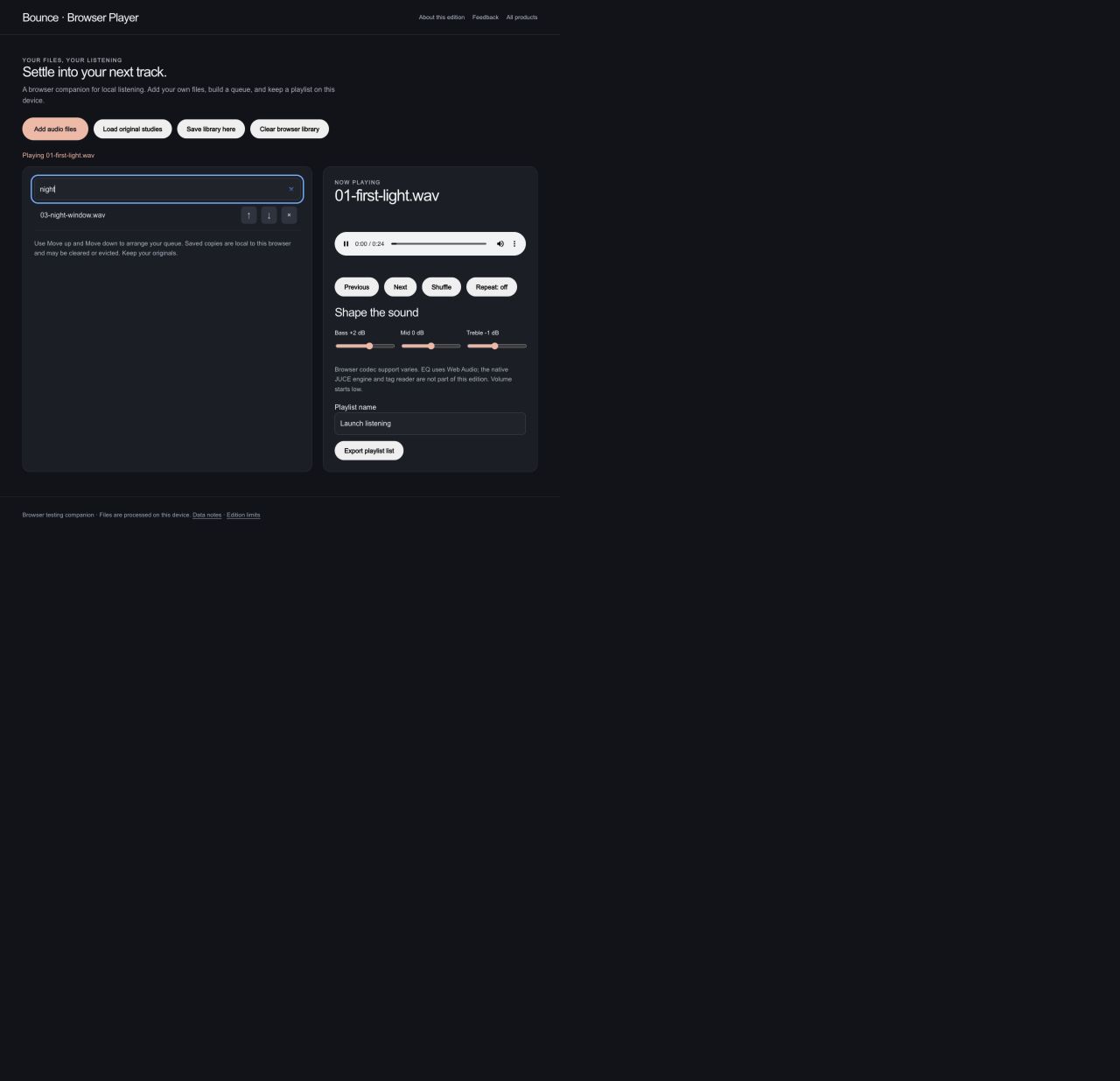
Search a queue of your own audio files.
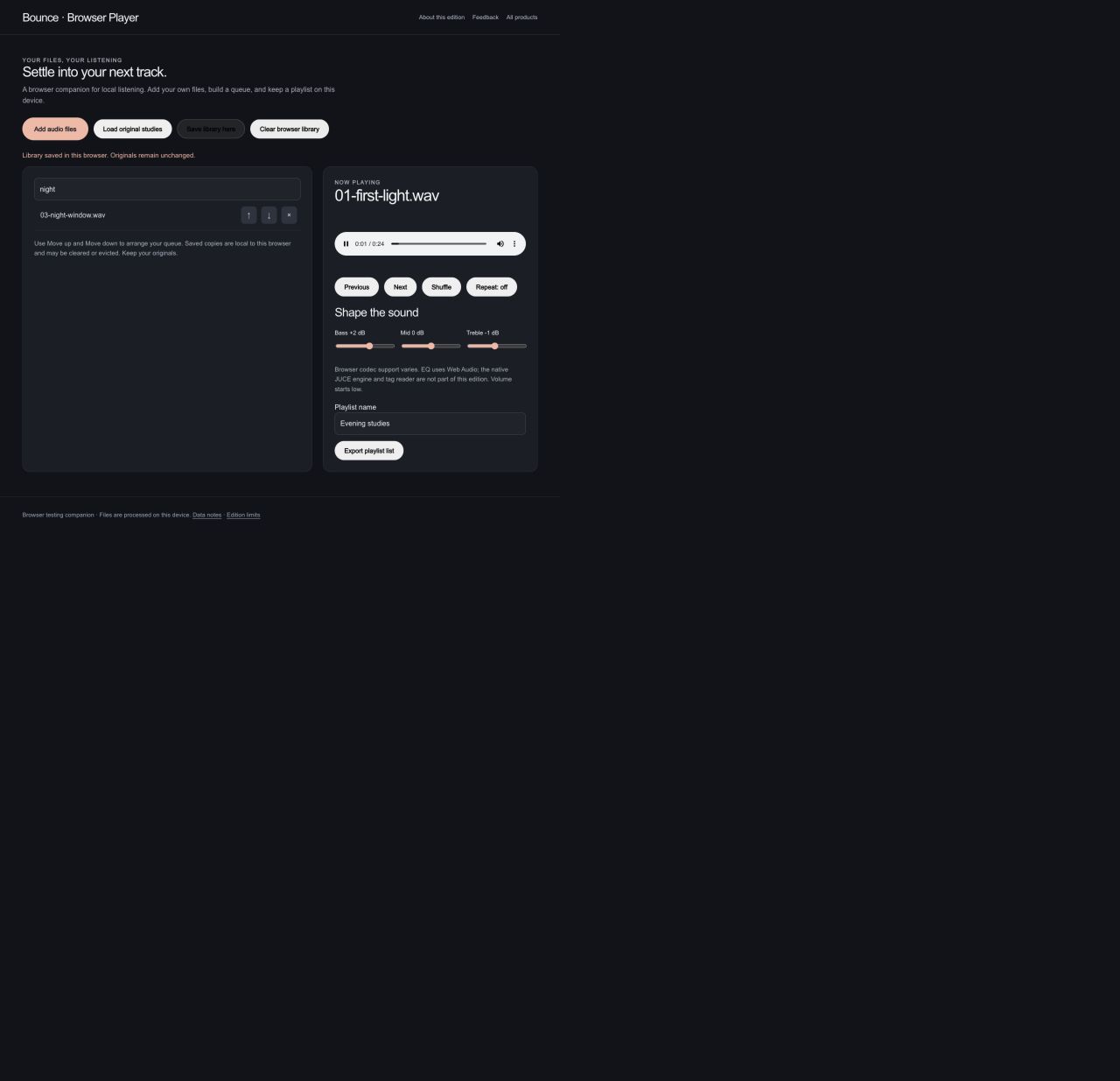
Save a named playlist in this browser for another listening session.
The browser companion plays local audio with EQ and saved playlists. Native metadata scanning and streaming services are not included. Actual browser captures · September 29, 2026.
YOUR BROWSER EDITION
Play your audio, search a local queue, adjust EQ, and save a playlist in this browser.
Browser codecs determine which files play. Files and playlists stay in this browser; storage may be cleared. This companion does not include the native tag reader, desktop audio engine or a streaming catalog.
Mac release candidates are under review. Public download links are not available yet. No public iOS build is available.